
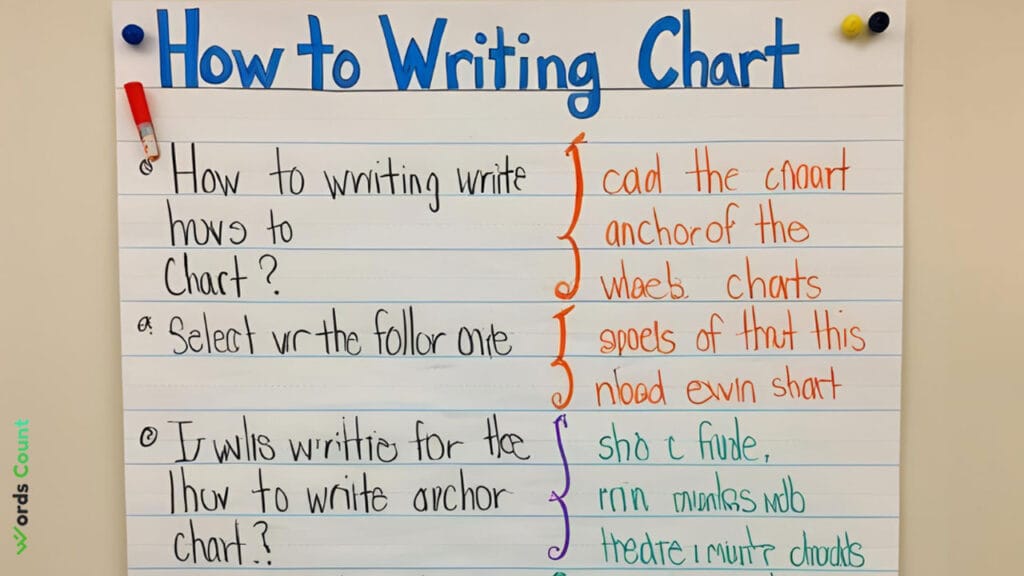
Anchor charts are powerful teaching tools that visually display information, making concepts easier to understand and remember. In classrooms or educational settings, these charts often serve as references for students, helping them reinforce important lessons and engage with the material more effectively. But creating an anchor chart that is both informative and easy to follow can be a challenge. In this article, we will walk through the process of writing an effective anchor chart and how to make it clear, engaging, and memorable.
What is an Anchor Chart?
An anchor chart is a visual tool used by educators to highlight important information, concepts, and strategies that students can refer back to. They are commonly displayed on large paper or poster boards, and the content is usually written in large, legible text. Anchor charts can cover a wide variety of topics, from grammar rules to math strategies, reading comprehension techniques, and scientific concepts.
The purpose of an anchor chart is to provide visual reinforcement of a concept, helping students retain the information better. These charts act as a guide and a reminder for students to use throughout their learning process.
Why Are Anchor Charts Important?
Anchor charts serve several important purposes in the classroom:
Visual Learning: Many students are visual learners, meaning they absorb information better when it’s presented in a visual format. Anchor charts cater to this learning style by using colors, pictures, and other visual elements.
Reinforcement: Students can refer back to anchor charts whenever they need a reminder of key concepts. This helps to reinforce lessons and encourages independent learning.
Collaboration: Anchor charts can be created in collaboration with students. This engagement allows students to contribute their ideas, making the learning process more interactive.
Clear Organization: With anchor charts, information is displayed clearly and organized in a way that is easy to follow. This reduces confusion and supports better comprehension.
Accessibility: Anchor charts are a resource that can be used by students with different learning styles and needs, including those who benefit from more visual and hands-on materials.
Key Elements of an Effective Anchor Chart
To create a highly effective anchor chart, there are several key elements to consider:
1. Clarity and Simplicity
An anchor chart should clearly present the key ideas or concepts. Avoid overwhelming the chart with too much text or information. Focus on the main points, and use concise language.
2. Large, Legible Text
The text on your anchor chart should be large enough for all students to read, even those sitting at the back of the room. Use bold fonts or markers to make the text stand out. If you’re working with younger students, it may help to use different colors to differentiate key ideas or sections of the chart.
3. Color and Visual Elements
Colors can help to break down the information into digestible chunks, making it easier for students to understand and retain. Use contrasting colors to highlight different sections or key terms. Additionally, visual elements such as diagrams, symbols, or pictures can make the chart more engaging and memorable.
4. Organized Layout
Ensure that your anchor chart is neatly organized. Use headings, subheadings, and bullet points to break down the information into manageable sections. This organization will help students navigate the chart more easily and find the information they need quickly.
5. Interactive Elements
Involve students in the creation process when possible. Ask them questions or encourage them to share examples, which you can then include on the chart. This not only makes the anchor chart more personalized but also promotes active participation.
How to Create an Anchor Chart: Step-by-Step Process
Now that we understand the purpose and key elements of an anchor chart, let’s explore the process of creating one:
Step 1: Decide on the Focus of the Chart
The first step is to decide what the focus of the anchor chart will be. This could be a concept from any subject, such as:
- Math strategies (e.g., addition, subtraction, multiplication)
- Writing tips (e.g., how to write a good paragraph or essay)
- Reading comprehension strategies
- Science concepts (e.g., the water cycle, the scientific method)
- Social studies concepts (e.g., history timelines or geographical features)
Step 2: Gather Materials
You will need a few materials to create your anchor chart:
- Large paper or poster board
- Markers or colored pens
- Ruler (for creating straight lines or sections)
- Sticky notes (optional, for additional student input)
- Images or visuals (optional, to enhance understanding)
Step 3: Plan the Layout
Before you start writing, plan the layout of your chart. Think about how to best organize the information. Will you divide it into sections with headings? Will you use bullet points or numbered lists? Consider how you want the information to flow so that students can follow it easily.
Step 4: Write Key Information
Start by writing the key points in large, clear letters. Remember to keep your text simple and concise. Use bullet points, numbered lists, or short sentences to break down complex concepts. If you’re creating a chart that involves a process (like a writing strategy or math procedure), use arrows or steps to show the sequence.
Step 5: Add Visuals and Colors
Next, incorporate visuals such as diagrams, charts, or pictures. Visuals can significantly improve understanding and make the chart more engaging. Use different colors to highlight different sections or key concepts. For instance, you could use green for examples, red for key terms, and blue for definitions.
Step 6: Make It Interactive
As you create the chart, involve the students as much as possible. Ask them questions, invite them to contribute examples, and let them participate in adding to the chart. This involvement not only makes the anchor chart more engaging but also reinforces the learning process.
Step 7: Review and Display
Once the chart is complete, review it to ensure that it’s clear, accurate, and easy to follow. Then, display it in a prominent place where all students can easily see it. This could be near the board, on a classroom wall, or in a space where students typically gather.
Tips for Using Anchor Charts in the Classroom
Use them as reference tools: Anchor charts should not be a one-time tool. They can be used throughout the learning process, helping students refer back to key points when needed.
Review and update regularly: Some anchor charts may need to be updated over time. For example, you might add new information as students learn more about a concept, or you may refine the chart based on student feedback.
Incorporate digital versions: If you teach in a digital classroom or hybrid setting, consider creating digital versions of anchor charts. You can use online tools to create visually appealing charts and share them with students via email or an online platform.
Frequently Asked Questions (FAQs)
Q1: How can I make sure my anchor chart is effective for all learners?
A: To make your anchor chart effective for all learners, focus on clarity, simplicity, and visual appeal. Use colors, diagrams, and simple language to cater to different learning styles, including visual and auditory learners.
Q2: How do I involve students in creating an anchor chart?
A: You can involve students by asking them questions, letting them provide examples, or even inviting them to write or draw on the chart. This interactive process makes the chart more engaging and reinforces their learning.
Q3: How do I store anchor charts for future use?
A: After creating an anchor chart, you can store it by laminating it or rolling it up for safekeeping. If you have a digital version, you can also store it on an online platform for easy access later.
Q4: Can anchor charts be used for all grade levels?
A: Yes, anchor charts can be used across all grade levels. The content and style may change depending on the age of the students, but the concept of visually reinforcing key ideas is beneficial for learners of all ages.
Q5: What subjects are best suited for anchor charts?
A: Anchor charts can be used in any subject area, from math and science to language arts, social studies, and beyond. They are most effective when used to highlight key concepts, strategies, and processes.
Conclusion
Anchor charts are powerful teaching tools that can help students better understand and retain information. By creating clear, engaging, and organized charts, teachers can support a wide range of learners and promote independent thinking. With the tips and strategies shared in this article, you’re now equipped to create anchor charts that make a lasting impact on your students’ learning journey. Whether you’re introducing a new concept or reinforcing a previously learned one, an effective anchor chart can be a valuable asset in the classroom.